
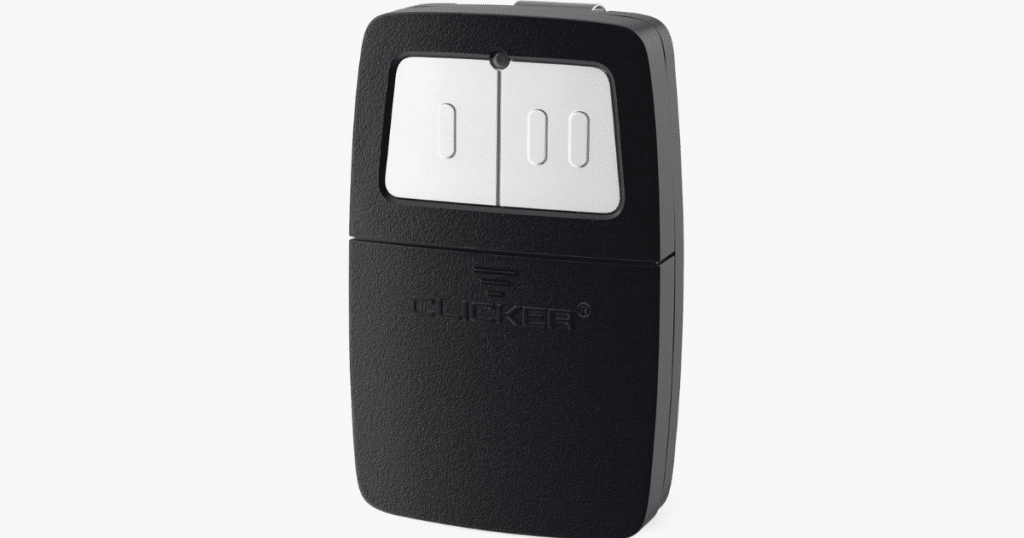
These days, both convenience and safety are more important than ever. The Clicker garage opener is a smart tool that brings both to your daily routine. These easy-to-use remotes make opening and closing your garage door simple. If you’re looking for how to program Clicker garage opener devices, this step-by-step guide is for you.
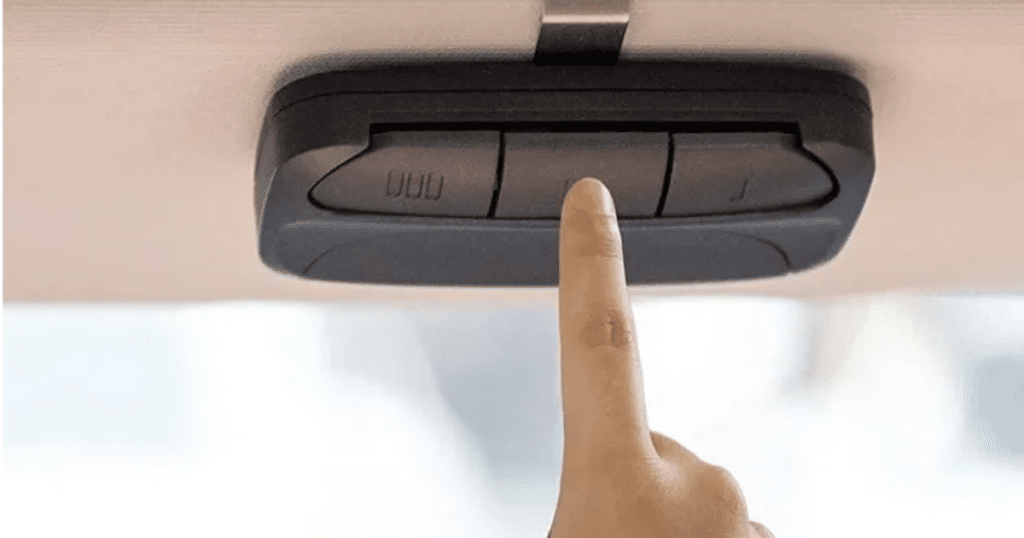
Clicker garage openers are known for their wide compatibility with major garage door brands. They are easy to set up, and you can even program multiple remotes for family use. This guide will help you understand your opener and walk you through the programming process. Get ready to enjoy reliable, fast, and hassle-free garage access every day.
Understanding the Importance of Programming Your Clicker
Programming your Clicker garage opener helps it talk to your garage door the right way. Without proper setup, your door might not respond or could open randomly. This garage remote programming step is key for smooth operation and gives you better control over your garage access.
Setting up your Clicker remote also keeps your home safer. When the opener is programmed correctly, it helps block unwanted entry through your garage. With break-ins becoming more common, a working universal garage door opener can help protect your space without needing extra complicated security systems.
A properly programmed Clicker garage opener also helps your system last longer. When everything runs in sync, your opener doesn’t have to work too hard. This means fewer breakdowns, fewer repairs, and more time before you will need a replacement. That’s a win for your wallet and peace of mind.
Step-by-Step Guide on How to Program Your Clicker Garage Opener
Wondering how to program Clicker garage opener the easy way? This quick guide shows you each step in simple terms so you can get your remote work done fast and without stress.
Step 1. Prepare Your Equipment
Grab your Clicker remote, ladder, and garage door opener manual. Having these ready saves time and helps make the setup smooth, especially if it’s your first time doing this.
Step 2. Locate the ‘Learn’ Button
Use a ladder to reach and locate the “Learn” button on your garage door opener.
It’s usually near the antenna wire and might say “Program” or “Smart” depending on your opener brand.
Step 3. Press the ‘Learn’ Button
Tap the “Learn” button once. A blinking light should appear. That means the opener is ready. Now you have about 30 seconds to move on and pair your remote.
Step 4. Program the Remote
Press and hold the button on your Clicker remote without delay. Hold for 3 seconds. The garage opener light should blink again. That means your remote has been successfully programmed.
Step 5. Test the Remote
Push the remote button you just programmed. Your garage door should open or close right away. If it doesn’t, repeat the steps and make sure you followed the timing correctly.
The steps to program your Clicker garage opener can differ based on the brand and model of your garage door opener. Be sure to check the manufacturer’s manual for exact directions.
Common Issues When Programming and How to Troubleshoot Them
Even with a detailed guide, programming issues can arise. Below are a few typical issues along with helpful troubleshooting tips.
- The Remote Doesn’t Work: If the remote does not operate the door, ensure the batteries are fresh. Weak batteries are a common culprit behind unresponsive remotes.
- Door Opens or Closes Partially: This could indicate an obstruction in the garage door track. Check for any debris or objects blocking the path and clear them away.
- The Opener Light Doesn’t Flash: If the light doesn’t flash during programming, ensure you are pressing the correct buttons in the right order. Refer to your manual to confirm the steps.
If these issues persist, resetting the garage door opener and starting the programming process again can often resolve the problem. Remember that patience and careful attention to detail are key when troubleshooting.
Alternative Methods for Programming Clicker Garage Openers
While the standard programming method works for most Clicker garage openers, there are alternative approaches that might suit different models or preferences:
1. Manual Code Entry
Some Clicker remotes allow manual code input. This helps when auto-programming fails. Check your user manual for the exact steps to enter the code correctly.
2. Smartphone Integration
Newer Clicker models may support smartphone apps. You can program and control your garage door from your phone, adding convenience and remote monitoring features.
3. Universal Remote Programming
Using a universal remote? You can program it to work with your Clicker opener. Just follow the instructions found in your remote’s manual for setup.
Exploring these alternatives can provide more flexibility and might be necessary if the traditional method is not compatible with your setup.
Safety Tips for Using Garage Door Openers

Safety should be a priority when using any electronic device, and garage door openers are no exception. Here are some tips to ensure safe operation:
Regular Maintenance
Inspect your garage door and opener regularly. Watch for issues like worn cables or loose hardware, and take care of them as soon as you notice any problems.
Child Safety
Store remotes where kids can’t reach them to avoid accidental use. It’s also important to teach children about the safety risks associated with garage doors.
Emergency Features
Get to know how your garage door opener’s emergency release works. This can be crucial during power outages or malfunctions.
Following these safety tips helps you avoid accidents. It also makes sure your garage door opener stays helpful and safe to use every day.
When to Seek Professional Help for Garage Opener Issues
Sometimes, even if you follow all the steps on how to program the Clicker garage opener, things still don’t work. If your garage door makes weird noises or slips off track, it’s time to call a professional. Fixing mechanical problems needs the right tools and experience.
If your opener has wiring problems or does not respond at all, don’t try to fix it yourself. Messing with electrical parts can be dangerous and might make things worse. A trained garage door repair expert knows how to handle these safely and quickly.
Tried programming your Clicker remote several times and still no luck? That might mean there’s a deeper issue with the system. Getting help from a professional can save you time and ensure your garage door works like it should.
FAQs About Clicker Garage Opener
How Do I Pair My Clicker Remote with LiftMaster?
To pair your Clicker remote with a LiftMaster opener, press the “Learn” button on the LiftMaster unit and then press the Clicker remote button until the light blinks. This links the Clicker garage door opener to your LiftMaster system.
Do I Need to Reset My Opener Before Programming the Clicker?
You don’t need to reset your opener before programming the Clicker remote unless you’re clearing out old remotes. For most setups, just use the “Learn” button to sync the Clicker garage door opener with your system.
Can I Program a Clicker Remote Without the Original Remote?
Yes, you can program a Clicker garage door opener without the original remote by using the “Learn” button on the opener unit. Simply connect the Clicker remote by following the steps on your garage door opener.
How to Program Multiple Doors with a Clicker Garage Remote?
To program multiple garage doors, use a different button on the Clicker remote for each door and repeat the syncing process with each opener. Make sure the Clicker garage door opener is compatible with all the openers you’re connecting to.
Conclusion
A smooth-working garage door starts with learning how to program Clicker garage opener the right way. When your opener is set up properly, you’ll enjoy easy access, better security, and less stress. Follow our simple steps to take full control of your garage door without calling for help every time.
Still running into trouble or want help with a more complex issue? At First Call Garage Doors, we’re here to help with trusted solutions for garage door repair in Richmond, TX. Whether your Clicker remote won’t program or the door won’t move, our team has the tools and experience to fix it fast.
Don’t wait for small problems to turn into big headaches. Let First Call Garage Doors keep your home safe and convenient. If you need expert help or want to upgrade your opener system, give us a call today. We’ll help you get it done right the first time.
End Note
Looking for dependable garage door services? First Call Garage Doors is your trusted local expert for garage door installation, new garage doors, and fast garage door repair. We also handle garage door opener repair to restore full function and security to your home’s entry.
Whether you need garage door maintenance, garage door opener replacement, or expert help with installation, we’ve got you covered. Browse our complete list of garage door services and see if you are located in our service areas. You can get to know our team better by checking out our About Us page.
Get inspired by real projects in our gallery or find valuable insights on our Blog. Stay updated by following us on Instagram or visiting our Linktree. Need help or want to schedule a service? Contact us today and let us help improve your home’s safety and convenience.
First Call Garage Doors
20527 FM 1093 Unit B205, Richmond, TX 77407, United States
+17132482684